
Every guild member with the addon appears on the world map as a dot in their class colour. Hover over it to see name, level, zone and whose alt it is.
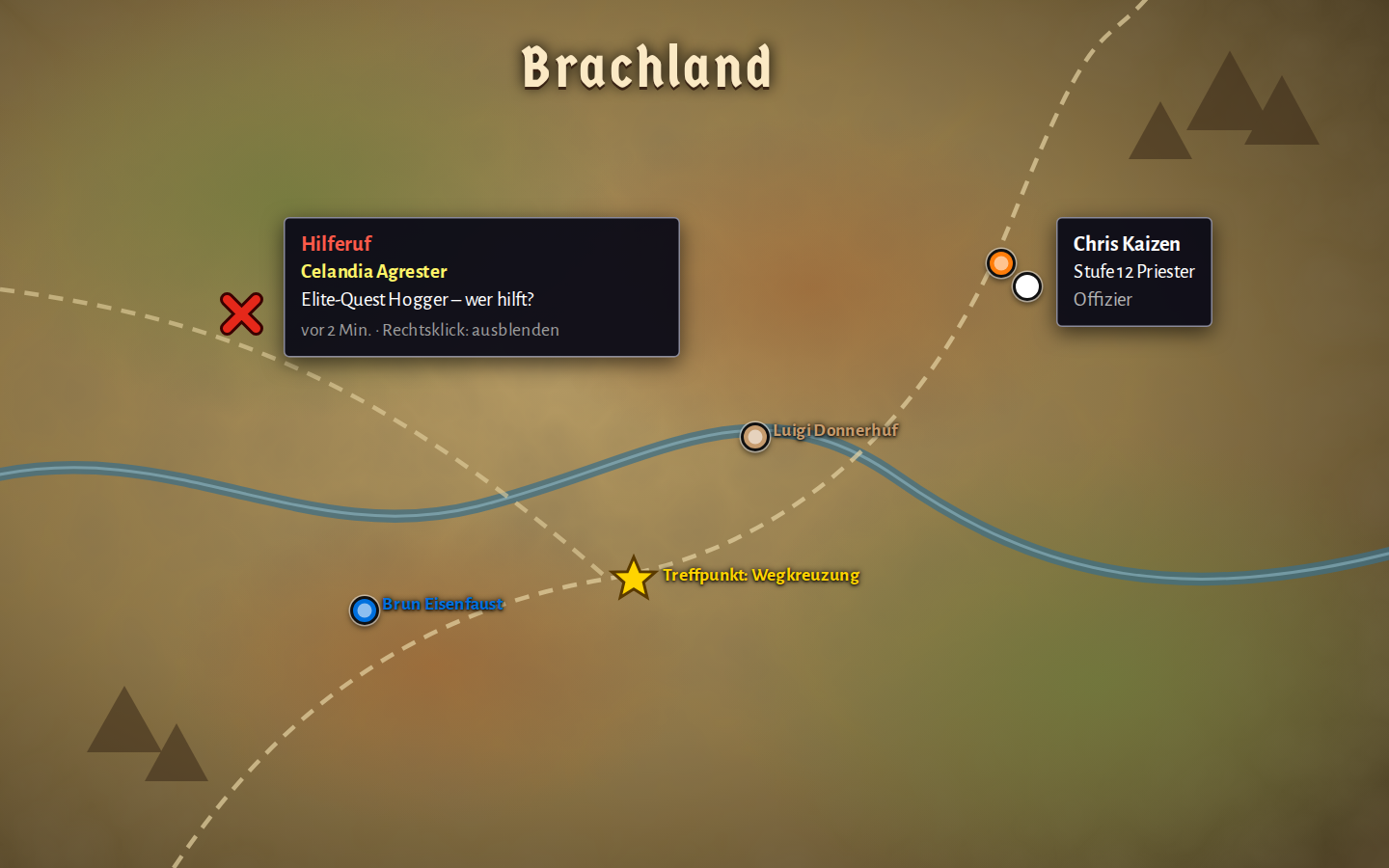
How it works
Nothing to do: just open the world map (M key). Every guild member with the addon is a small dot in their class colour.
- Dots appear on the zone map and on the continent map.
- Positions update every few seconds: someone who is moving reports at most every 3 seconds, someone standing still roughly every 15 seconds.
- Anyone who has died is shown as a skull (dead or ghost).
- People in your party or raid get no extra dot – WoW already shows them.
Dot tooltip: name in class colour, "Twink von …" (alt of …), "Stufe … – zone" (level – zone), plus "AFK", "tot" (dead) or "Geist" (ghost).
What else is on the map
| Icon | Meaning | More |
|---|---|---|
| Red cross | call for help | Call for help & meeting point |
| Yellow star | an officer's meeting point | Call for help & meeting point |
| Flame | a shared campfire | Celebrations & campfires |
| Herb and ore icons | gathering spots found by the guild | Gathering map |
Right-click a red cross: end your own call for help; as an officer delete it for everyone; otherwise hide it just for you.
Settings
Under Einstellungen → Karte (settings → map):
- Meine Position mit der Gilde teilen (share my position) – off: others don't see you on the map or which zone you are in.
- Gildenmitglieder auf der Weltkarte (members on the world map) – hides the other members' dots (calls for help, meeting points etc. stay).
- Zeigen, wenn ich tot bin (show when I'm dead) – off: no skull and no "dead/ghost" for you.
- Gruppenmitglieder ausblenden (hide group members) – on: no duplicate dot for your group.
What others need
You only see people who have the addon themselves, are online and share their position.
Limitations
- WoW provides no coordinates inside dungeons and raids. People there have no dot; the guild window shows "im Dungeon" (in a dungeon).
- If WoW cannot convert a position onto the map you are viewing (e.g. another continent), no dot appears there.
- Anyone who sends nothing for 60 seconds (offline, loading screen, connection trouble) disappears from the map.
- The addon does not draw your own position – you have the normal player arrow for that.
Found a bug or have an idea? Report it here (English is fine)